Finn Scale Co. / Additional Products
Truck Scale Kiosks
Kiosk solutions to support driver interaction and ticketing at truck weighing sites.
Discuss Your Project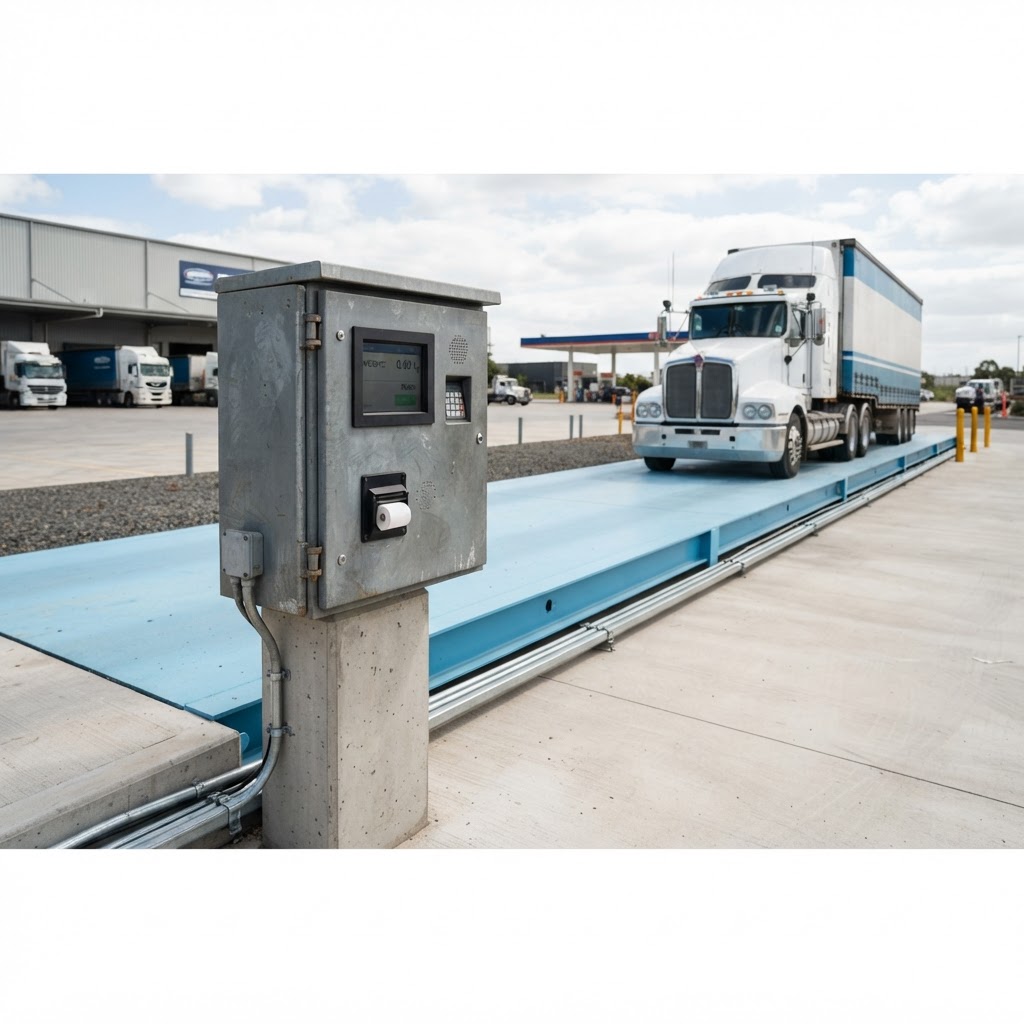
Applications & support
- Driver-operated weighing lanes
- Truck ticketing stations
- Connected scale-house workflows
- Unattended 24/7 weighing operations
- Automated vehicle identification
01 / Additional Products
Support the driver workflow
A kiosk can help drivers identify a vehicle or transaction, follow weighing prompts, and receive tickets. Functions depend on the selected kiosk, scale indicator, and software configuration.
02 / Additional Products
Connect the site equipment
Finn Scale can discuss kiosk integration for new and existing systems. Driver reach, approach direction, weather exposure, networking, ticketing, and site procedures determine the configuration.
03 / Additional Products
What a truck scale kiosk does
A truck scale kiosk provides a driver-operated interface for truck weighing transactions. Instead of an operator in a scale house manually recording weights and printing tickets, the driver interacts with the kiosk to identify the vehicle or transaction, initiate weighing, and receive a printed ticket. Kiosks can support unattended operation, extending weighing hours beyond staffed periods and reducing labor costs. Functions depend on the selected kiosk, scale indicator, and software configuration.
04 / Additional Products
Identification & transaction workflow
A kiosk workflow may use a vehicle ID, access credential, or operator input to start a transaction. Driver identification methods include RFID cards, license plate recognition cameras, proximity readers, or manual entry on a touchscreen. Define tare handling, material selection, and ticket information before specifying hardware. Consider whether the kiosk supports first weighing (gross), second weighing (tare), or both. The transaction sequence should be intuitive and should handle common exceptions such as an unknown vehicle ID or a failed weighing.
05 / Additional Products
Ticket content & data output
Ticket content should include all required fields: date, time, vehicle ID, gross weight, tare weight, net weight, material or product code, and any transaction reference numbers. Consider whether tickets need barcodes or QR codes for downstream scanning. Data output may include a local database, a network export to an ERP or WMS, or a real-time data push. Plan how the data will be used and by whom. Test ticket content, units, rounding, timestamp requirements, and duplicate-record handling before relying on the system in production.
06 / Additional Products
Outdoor usability & environmental protection
Driver reach, approach direction, glare, weather exposure, and network reliability affect placement. The kiosk must be weatherproof (IP-rated enclosure), with a screen that is readable in direct sunlight and a user interface that can be operated while wearing gloves. Power and data connections need appropriate protection. Temperature control (heating and cooling) may be required for the kiosk enclosure in extreme climates. Plan exception handling so drivers have a route to assistance when identification or weighing cannot be completed.
07 / Additional Products
Integration with existing systems
Finn Scale can discuss kiosk integration for new and existing systems. The kiosk must communicate with the scale indicator, the ticketing software, and any external systems. Verify available protocols, data formats, and software permissions. For existing truck scales, the key question is typically whether the current indicator and software support kiosk integration. Share equipment details and the desired transaction steps so interface and installation requirements can be reviewed.
What to include in your inquiry
- Existing scale indicator and software
- Driver identification and ticket needs
- Kiosk location, power, and networking
Helpful answers